Start Practicing in 6 Simple Steps
From login to performance insights — here's exactly how to get the most out of every Quizovers practice session.
How Each Practice Session Works
Quizovers uses an active-recall model — answer, learn, move forward.
Select an option or tap Skip if unsure — no pressure.
See the correct answer and explanation right away.
Tap Next to continue or Skip ahead to the next question.
Exit anytime to see your score, accuracy, and insights.
Follow These Steps to Get Started
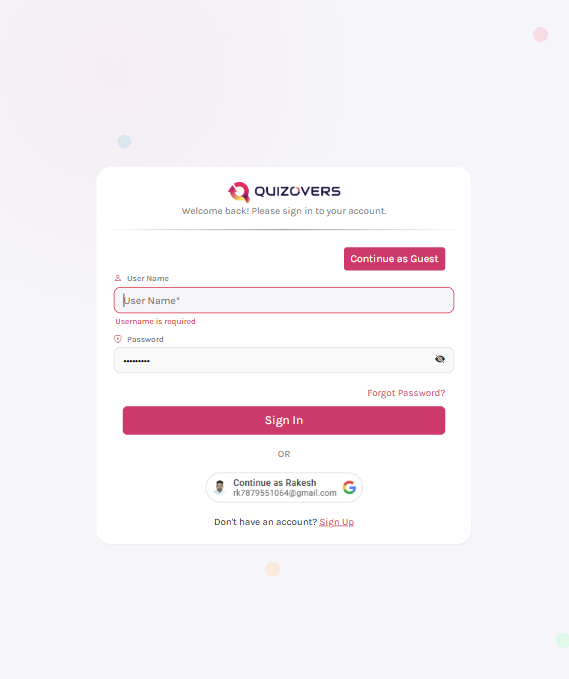
Create or Log In to Your Account
Sign in to your Quizovers account to access personalized practice. New here? Register for free in under a minute — no credit card needed.
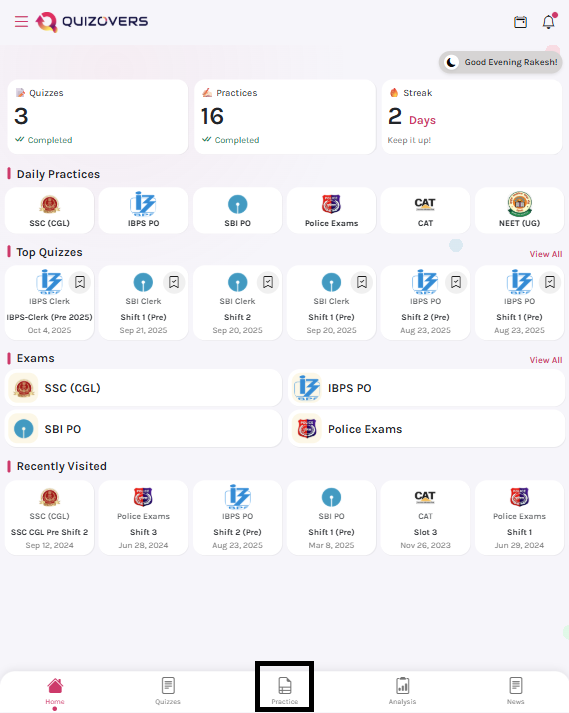
Open the Practice Menu
Tap the Practice icon at the center of the bottom navigation bar. This is your hub for all exam-wise practice sets, PYPs, and mock tests.
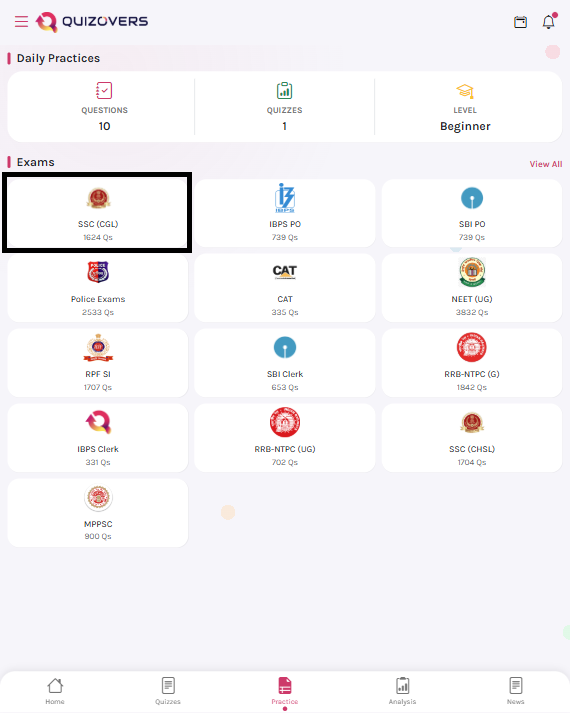
Choose Your Exam
Select the competitive exam you're preparing for — SSC CGL, NEET, JEE, UPSC, SBI, NDA, and more. Quizovers covers all major exams with curated content.
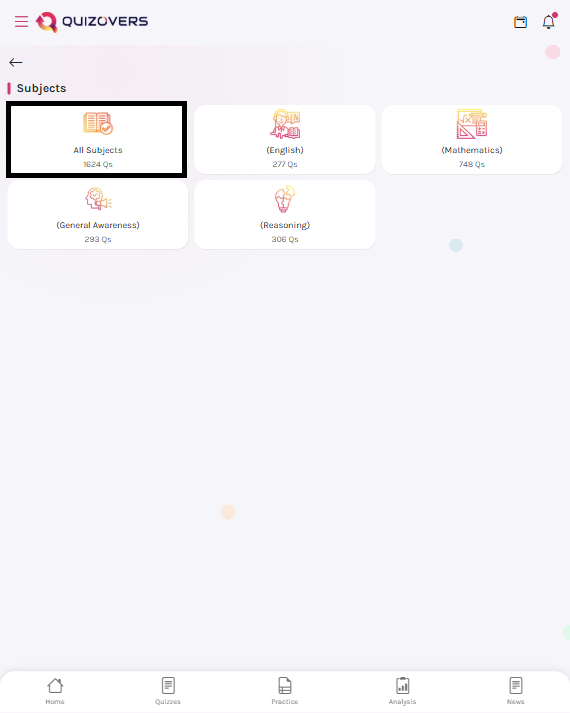
Pick a Subject or Practice All
Want to focus on Quantitative Aptitude today? Select that subject. Or choose 'All Subjects' for a mixed session that simulates real exam conditions.
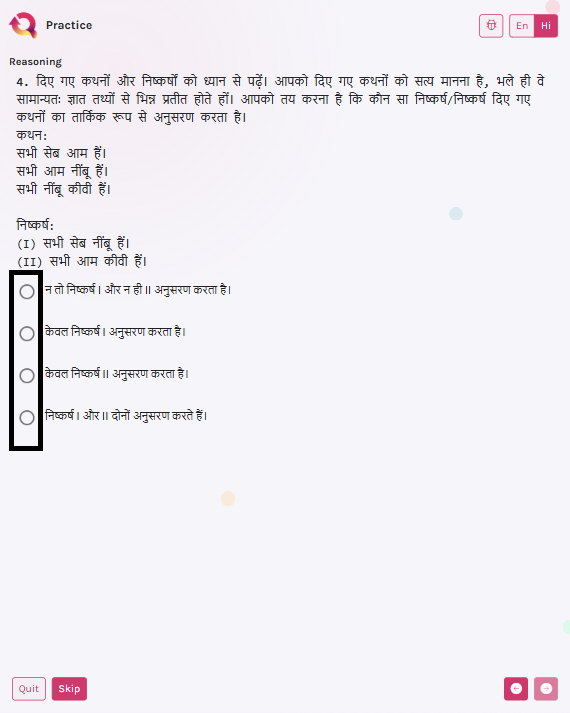
Start Answering Questions
Each question appears one at a time. Tap your answer to instantly see if you're right — along with a detailed explanation. Not sure? Hit Skip and come back.
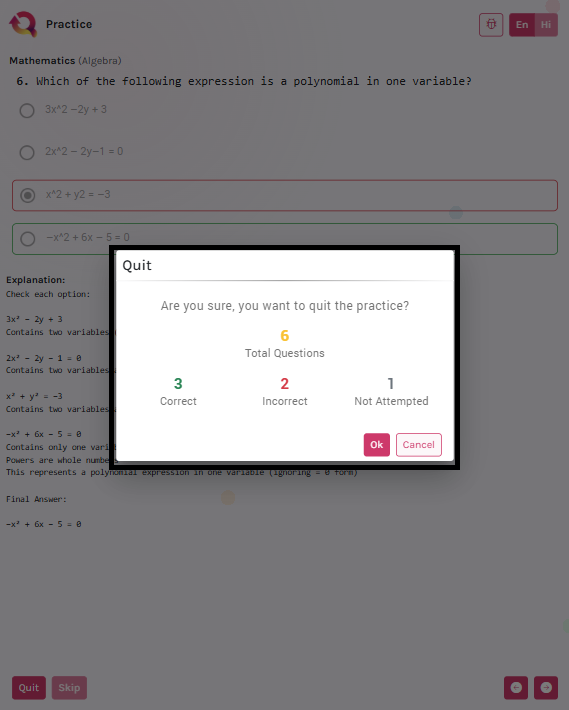
Review Your Performance
After your session, view a full breakdown — accuracy, time taken, weak topics, and improvement trends. Use these insights to plan your next session smartly.